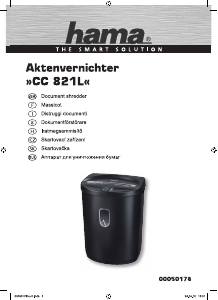
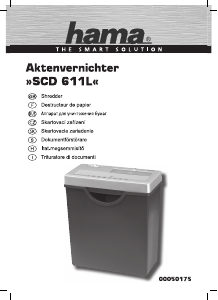
Használati útmutató Hama 00050587 Prime M50CD Iratmegsemmisítő

Kézikönyvre van szüksége a Hama 00050587 Prime M50CD Iratmegsemmisítő hez? Az alábbiakban ingyenesen megtekintheti és letöltheti a PDF kézikönyvet angol nyelven. Ez a termék jelenleg 2 gyakran ismételt kérdéseket, 0 megjegyzést tartalmaz, és 0 szavazattal rendelkezik. Ha nem ezt a kézikönyvet szeretné, kérjük, lépjen kapcsolatba velünk.

Hibás a terméke, és a kézikönyv nem kínál megoldást? Látogassa meg a Repair Café szolgáltatást ingyenes javítási szolgáltatásokért.

Használati útmutató

Loading…

4
5. Care and maintenance
Danger –risk of death from electric shock
Disconnect the mains plug from the socket beforestarting any cleaning work.
Warning -risk of cutting on the cutting rollers
Do not touch the cutting rollers.
Warning -damage to the device from moisture
Ensure, when cleaning, that no moisturepenetrates the device in order to avoid
irreparable damage to it.
5.1 Emptying the container
Switch the deviceoff -asdescribed in 4.2 Switching the device off -and disconnect
the mains plug.
Lift the device head (1) off the waste container (7).
Empty the container (7).
Place the device head (1) back on the waste container (7).
Reconnect the device -asdescribed in 3. Installation/Setup -tothe powersupply.
5.2 Cleaning the device
Switch the device off -asdescribed in 4.2 Switching the device off -and disconnect
the mains plug.
Clean the device with adry cloth. In cases of heavy soiling, the cloth can be dampened
alittle.
Allow the device to dry completelyafterwards.
Reconnect the device -asdescribed in 3. Installation/Setup -tothe power supply.
5.3 Cleaning /oiling the cutting rollers
Note
Oil the cutting rollers after each emptyingofthe waste paper basket in order to
prolong the shredder's service life.
Youcan nd an appropriate selection of cleaning products at https://hama.com.
Switch the device on -asdescribed in 4.1 Switching the device on.
5.3.1 Cleaning with Hama cleaners for shredders (item number: 113820)
Apply the Hama cleaner for shredders (item number: 113820) in several strips onto a
piece of DIN A4-size paper.
Insert the paper into the centreofthe intake shaft (2). The cutting rollers switch on
automatically.
Once the cutting process is complete, the device is ready for operation again.
5.3.2 Cleaning with cleaning paper
Insert the cleaning paper into the centreofthe intake shaft (2). The cutting rollers switch
on automatically.
Once the cutting process is complete, the device is ready for operation again.
6. Troubleshooting
Error Possible cause Remedy
The cutting rollers do not
switch on automatically
when material to be
shredded is inserted.
The slider switch (8) is in
the “OFF” position (10).
Move the slider switch
(8) to the “A UTO”
position (9).
The connecting cable
(4) is not connected
correctly.
Ensurethat the mains
plug is in the mains
socket.
The socket is not live. Check the domestic fuses.
The device is faulty.Notify Customer Services.
7. Technicaldata
Input voltage 220-240 V~
Mains Frequency 50 Hz
Max. Power consumption220 W
Dimensions (W xHxD)31.0 x38.0 x16.4 cm
Weight (net) 3862 g
Weight (gross) 4374 g
Basket capacity for paper and plastic cards 13 litres
Noise level when idling 68 dB
Max. cutting performance -paper (70 gsm) 6sheets (DIN A4 paper)*
Max. cutting performance -paper (80 gsm) 5sheets (DIN A4 paper)*
Max. cutting performance -plastic cards 1
Max. CD /DVD /Blu-Ray cutting performance 1
Max. cutting speed 2.5 m/minute
Max. paper feed width 220 mm
Max. Feed width plastic cards /CD/DVD /Blu-Ray 125 mm
Cutting size (paper) 2x12mm
Cutting size plastic cards /CD/DVD /Blu-Ray 15 mm
Max. constant operationtime 2minutes
Nominal rest period Min. 30 minutes
Protection class (as per DIN 66399) 3
Safety levels (as per DIN 66399) P-5 /T-2 /E-2 /O-1
*Thicker paper,moistureorany voltage other than that permitted may reduce the
performance.
8. Warranty disclaimer
Allofthe technical information, data and instructions regarding operation contained in
these operating instructions was up to date at the time of printing and is provided based
on previous experience and to the best of ourknowledge.
Hama GmbH &CoKGassumes no liability and provides no warranty for damage resulting
from improper installation/mounting, improper use of the product or from failuretoobserve
the operating instructions and/orsafety notes.
Magyar nyelvű használati útmutató letöltése (PDF, 1.33 MB)
(Gondoljon a környezetre, és csak akkor nyomtassa ki a kézikönyvet, ha feltétlenül szükséges)

Loading…

Értékelés

Ossza meg velünk, mit gondol a Hama 00050587 Prime M50CD Iratmegsemmisítő: értékelje a terméket. Szeretné megosztani a termékkel kapcsolatos tapasztalatát, vagy kérdése van? Írja megjegyzését az oldal alján lévő szövegdobozba.
Elégedett a Hama 00050587 Prime M50CD Iratmegsemmisítő-szal?
Igen Nem
Értékelje elsőként a terméket
0 szavazás

Csatlakozzon a termékről folytatott párbeszédhez

Itt megoszthatja véleményét a Hama 00050587 Prime M50CD Iratmegsemmisítő-ról. Ha kérdése van, először figyelmesen olvassa el a kézikönyvet. Kézikönyv igénylése kapcsolatfelvételi űrlapunk segítségével történhet.

További információ erről a kézikönyvről

Megértjük, hogy jó, ha van egy papíralapú kézikönyv a Hama 00050587 Prime M50CD Iratmegsemmisítő-hoz. A kézikönyvet bármikor letöltheti weboldalunkról, és saját maga is kinyomtathatja. Ha szeretne egy eredeti kézikönyvet, javasoljuk, hogy lépjen kapcsolatba a következővel: Hama. Esetleg tudnak adni egy eredeti kézikönyvet. Más nyelvű kézikönyvet keres Hama 00050587 Prime M50CD Iratmegsemmisítő készülékéhez? Válassza ki a kívánt nyelvet a honlapunkon, és keresse meg a modellszámot, hátha elérhető.

Műszaki adatok

Márka Hama
Modell 00050587 Prime M50CD
Kategória Iratmegsemmisítők
Fájltípus PDF
Fájl méret 1.33 MB

Hama Iratmegsemmisítők összes kézikönyve
Iratmegsemmisítők további kézikönyvei

Gyakran Ismételt Kérdések a következővel kapcsolatban: Hama 00050587 Prime M50CD Iratmegsemmisítő

Ügyfélszolgálati csapatunk keresi a hasznos termékinformációkat, és válaszol a gyakran ismételt kérdésekre. Amennyiben pontatlanságot talál a gyakran ismételt kérdésekben, a kapcsolatfelvételi űrlapon jelezze nekünk a hibát.

Miért áll le a papíraprító egy bizonyos időszak után? Ellenőrzött

A papíraprítónak egy idő után le kell hűlnie, hogy megakadályozza a túlmelegedést. Az idő, ameddig a készülék működni tud, mielőtt lehűlne, különböző márkák és modellek szerint változik.

Hasznos volt (915) Olvass tovább

Milyen gyakran kell olajozni a papíraprítót? Ellenőrzött

Alkalmi használat esetén elegendő kéthavonta egyszer olajozni a papíraprítót. (Nagyon) rendszeres használat esetén észreveheti, hogy a gépnek nehézségei vannak az aprítással, vagy hogy a papír könnyen beragad. Ezek a gép olajozásának jelei.

Hasznos volt (575) Olvass tovább
Használati útmutató Hama 00050587 Prime M50CD Iratmegsemmisítő

Kapcsolódó termékek

Kapcsolódó kategóriák

×
Download