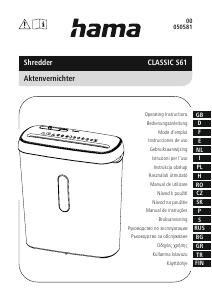
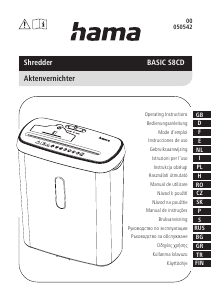
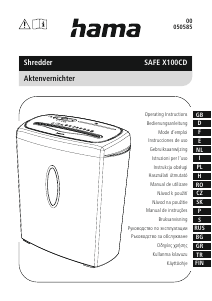
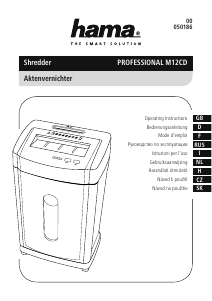
Használati útmutató Hama 00050587 Prime M50CD Iratmegsemmisítő

Kézikönyvre van szüksége a Hama 00050587 Prime M50CD Iratmegsemmisítő hez? Az alábbiakban ingyenesen megtekintheti és letöltheti a PDF kézikönyvet angol nyelven. Ez a termék jelenleg 2 gyakran ismételt kérdéseket, 0 megjegyzést tartalmaz, és 0 szavazattal rendelkezik. Ha nem ezt a kézikönyvet szeretné, kérjük, lépjen kapcsolatba velünk.

Hibás a terméke, és a kézikönyv nem kínál megoldást? Látogassa meg a Repair Café szolgáltatást ingyenes javítási szolgáltatásokért.

Használati útmutató

Loading…

3
Beforecommissioning, read the enclosed operating
instructions.
Youmust comply with the safety instructionsatall times.
This device is not intended for use by children.
Avoid touching the intake openingwithhands, clothing
or hair.
Unplug the device if it is not going to be used for a
prolonged period.
Children must be supervised when using the device.
Do not insert paper clips into the intakeshaft.
Do not reach into the intake shaft.
Keep clothing away from the intake shaft.
Keep jewellery,e.g. necklaces, away from the intakeshaft.
Keep hair away from the intake shaft.
Do not use any aerosol products on or near the device.
Insert max. 5sheets of paper in theintake shaft at the same
time (see 7. Technical Data).
Intake shaft for credit cards. Only insert one credit cardata
time into the intake shaft for credit cards.
Intake shaft for CDs/DVDsand Blu-Rays. Only insert oneCD/
DVD or Blu-Ray at atime into the intake shaft.
Sharp edge!
Do not touch!
2.4 Safety device
The device is equipped with asafety switch and canonly be operated if the device head (1)
is correctly placed on the waste container (7).
Warning
Any tampering with or modication of the safety featurescan result in seriousinjury
and is not permitted.
3. Installation /Setup
Warning
Only operate the product from asocket that has been approved forthe device. The
socket must be installed close to the product and must be easily accessible.
Disconnect the product from the power supply using the On/Off switch –ifthis is not
available, unplug the power cord from the socket.
If using amulti-socket power strip, make surethat the total power consumption of
allconnected devices does notexceed the socket strip's maximum throughput rating.
If you willnot be using the product for aprolonged period, disconnect it from
mains power.
Note
Set the product up on alevel, horizontal and sucientlystablesurface.
Routeall cablessothereisnoriskoftripping.
Do not bend or crush the cable.
Protect theconnecting cable from hot surfaces and sharp edges.
Connect the mains cable to aproperly installed and easily accessible mains socket.
4. Operation
Note
Be awarethat the thickness of paper increases when it is folded, leading to the
device's maximum page capacity being exceeded.
Always wait until one cutting operationisnished beforestarting the next one.
Do not use the devicecontinuously formorethan 5minutes at atime.
Empty the container regularly in order avoid damaging the device.
4.1 Switching the device on
Move the slider switch (8) to the "AUTO" position (9).
The device is now ready for use.
4.2 Switching the device off
Move the slider switch (8) to the "OFF" position (10).
4.3 Shredding paper
Insert the paper into the centreofthe intake shaft (2). The cutting rollers switch on
automatically.
Let go of the paper.Once the cutting process is complete, the device switches itself
off again.
4.4 Shredding plastic cards
Insert the plastic cardinto the centreofthe intake shaft (3). The cutting rollers switch
on automatically.
Let go of the plastic card. Once the cutting process is complete, the device switches
itself off again.
4.5 Shredding CDs,DVDs, Blu-Rays
Insert the CD, DVD or Blu-Ray into the centreofthe intake shaft (3).
Let go of the CD, DVD or Blu-Ray.Oncethe cutting process is complete, the device
switches itself off again.
4.6 Forwards /backwards modes
Note
These modes aredesigned to release any blockages of the cutting mechanism.
Move the slider switch (8) to the "REV" position (11). The rollers on the cutting
mechanism now rotate in the reverse direction.
Move the slider switch (8) alternately to the "AUTO" position (9) and the "REV" position
(11). Repeat this process around three times.
Then switch the device off-asdescribed in 4.2 Switching the device off -and
disconnect the mains plug.
Remove the blocked cut material carefully from the intake shaft (2).
Reconnect the device -asdescribed in 3. Installation/Setup -tothe power supply.
Magyar nyelvű használati útmutató letöltése (PDF, 1.33 MB)
(Gondoljon a környezetre, és csak akkor nyomtassa ki a kézikönyvet, ha feltétlenül szükséges)

Loading…

Értékelés

Ossza meg velünk, mit gondol a Hama 00050587 Prime M50CD Iratmegsemmisítő: értékelje a terméket. Szeretné megosztani a termékkel kapcsolatos tapasztalatát, vagy kérdése van? Írja megjegyzését az oldal alján lévő szövegdobozba.
Elégedett a Hama 00050587 Prime M50CD Iratmegsemmisítő-szal?
Igen Nem
Értékelje elsőként a terméket
0 szavazás

Csatlakozzon a termékről folytatott párbeszédhez

Itt megoszthatja véleményét a Hama 00050587 Prime M50CD Iratmegsemmisítő-ról. Ha kérdése van, először figyelmesen olvassa el a kézikönyvet. Kézikönyv igénylése kapcsolatfelvételi űrlapunk segítségével történhet.

További információ erről a kézikönyvről

Megértjük, hogy jó, ha van egy papíralapú kézikönyv a Hama 00050587 Prime M50CD Iratmegsemmisítő-hoz. A kézikönyvet bármikor letöltheti weboldalunkról, és saját maga is kinyomtathatja. Ha szeretne egy eredeti kézikönyvet, javasoljuk, hogy lépjen kapcsolatba a következővel: Hama. Esetleg tudnak adni egy eredeti kézikönyvet. Más nyelvű kézikönyvet keres Hama 00050587 Prime M50CD Iratmegsemmisítő készülékéhez? Válassza ki a kívánt nyelvet a honlapunkon, és keresse meg a modellszámot, hátha elérhető.

Műszaki adatok

Márka Hama
Modell 00050587 Prime M50CD
Kategória Iratmegsemmisítők
Fájltípus PDF
Fájl méret 1.33 MB

Hama Iratmegsemmisítők összes kézikönyve
Iratmegsemmisítők további kézikönyvei

Gyakran Ismételt Kérdések a következővel kapcsolatban: Hama 00050587 Prime M50CD Iratmegsemmisítő

Ügyfélszolgálati csapatunk keresi a hasznos termékinformációkat, és válaszol a gyakran ismételt kérdésekre. Amennyiben pontatlanságot talál a gyakran ismételt kérdésekben, a kapcsolatfelvételi űrlapon jelezze nekünk a hibát.

Miért áll le a papíraprító egy bizonyos időszak után? Ellenőrzött

A papíraprítónak egy idő után le kell hűlnie, hogy megakadályozza a túlmelegedést. Az idő, ameddig a készülék működni tud, mielőtt lehűlne, különböző márkák és modellek szerint változik.

Hasznos volt (915) Olvass tovább

Milyen gyakran kell olajozni a papíraprítót? Ellenőrzött

Alkalmi használat esetén elegendő kéthavonta egyszer olajozni a papíraprítót. (Nagyon) rendszeres használat esetén észreveheti, hogy a gépnek nehézségei vannak az aprítással, vagy hogy a papír könnyen beragad. Ezek a gép olajozásának jelei.

Hasznos volt (575) Olvass tovább
Használati útmutató Hama 00050587 Prime M50CD Iratmegsemmisítő

Kapcsolódó termékek

Kapcsolódó kategóriák

×
Download