WWW.Q-CONNECT.COM
2
SEtuP
1 The shredder and waste basket housing come pre-assembled.
2 Slide the wastebasket fully into the wastebasket housing.
3 Plug the power cord into any Standard 220~240-volt AC outlet.
4 Press the Power button. The Power LED will light up.
OPERAting tHE SHREDDER
Ensure that the wastebasket is inserted correctly into the shredder.
If the wastebasket is not inserted properly, the green Ready light will not
light up and the shredder will not run when the power cord is connected.
When the paper is inserted into the feed opening and the green Ready LED
lights up, the shredding process will start automatically and stop when the
paper has completed its travel through the feed opening.
The Power button and 2 function buttons are located on top of the
shredder. Their purposes are:
1 When the FWD button is pressed, the shredding process will start. The
forward shred cycle will last 2 seconds. This will allow the feed opening
to be cleared in case excess paper is left in the shredder.
2 The REV button is used to assist in the removal of a paper jam, which
reverses the shredding process prior to a completed forward cycle, thus
clearing the cutters. The reverse cycle will last for 2 seconds. This should
be enough time to remove any excess paper from the cutters and
prevent any paper from the waste basket being fed back into the
shredder cutters.
3 The Power Button is used to terminate the AC power to the shredder.
It is recommended to turn the shredder off when the shredder is not
being used for a prolonged period of time.
Note: The Power Button is green when ready and red when an overload
occurs.
When switching from AUTO to REV, always stop in the OFF position to
prevent possible damage to the motor.
SHREDDER CAPACity
The QCC4/QCC5 will shred up to 15/20 sheets of standard 80 g A4 paper.
When shredding small material like envelopes, credit cards or receipts,
insert them through the middle of the feed opening. Credit cards should
be inserted one at a time.
When shredding CD’s and DVD’s , they should be inserted one at a time
into the designated CD slot only.
PAPER jAmS AnD mOtOR OvERlOAD
SituAtiOnS
The shredder will either automatically reverse the paper out of the
shredder throat or power may terminate automatically in case of the
following abnormal situations:
1 Operating the shredder at the maximum 15/20-sheet capacity
continuously for a prolonged period of time, e.g. More than 2 minutes
without stopping.
2 Exceeding the shredding capacity, e.g. Inserting more than 15/20 sheets
of standard 80 g A4 paper at one pass, or if the paper is not fed squarely
into the feed opening.
Both abnormal operations may result in the activation of the automatic
reversal of the paper or the thermal motor overload protection, which
terminates the power to the shredder.
A minor paper jam may cause the paper to feed in the opposite direction
and be ejected from the feed opening.
A major paper jam could cause the thermal motor overload protection to
terminate the AC power to the motor and turn on the Overload light.
Never allow the shredder to remain in a jammed condition with the AC
power turned on.
t
If this occurs you should:
In case of a minor paper jam.
The automatic paper reverse feature should eject the paper from the feed
opening. Remove the un-shredded portion of paper from the top and clear
any excess paper shreds from the feed opening. The Overload light should
go out and normal shredding can resume.
In case of a major paper jam:
1 Turn o or unplug the power cord from the AC outlet and wait at least
40 minutes for the overload protection to reset.
2 Plug in the AC power cord and press the Power button. If paper was left
inside the feed opening prior to the overload, grasp the excess paper
from the top and pull it out as you press the REV button. Be carefull not
to place your fingers near the opening as this could result into serious
harm.
3 You are now ready to resume normal shredding.
CAutiOnS
1 Keep all loose articles of clothing, ties, jewelry, hair or other small items
away from the feed opening to prevent injury.
2 Keep shredder turned OFF or unplugged when not in use for a
prolonged period of time.
3 Remove all paper clips and staples from paper before shredding . The
QCC4/QCC5 will cut staples, however this is not recomended.
4 Do not place hands or ngers into the shredder throat as this could
result into serious injuries.
5 Continuous shredding of computer paper should not exceed 2 minutes.
If continuous use is required at the maximum sheet capacity (15/20
sheets), it is recommended that shredding time should be 2 minutes on
and 40 minutes o to allow a proper cooling of the motor.
6 Always turn o or unplug the shredder prior to moving, cleaning or
emptying the wastebasket.
7 Empty the wastebasket frequently to avoid paper jams caused by
shredding material being pulled back into the cutter assembly.
8 Never allow children to shred or play with paper shredders. Serious
injury could occur!
9 Never spray canned air or any type of spray lubricant into the shredder
while shredder is plugged in as this could result into serious injuries.
10 Never place any lubricants or cleaning solutions in the paper shredder
as this could result into serious injuries.
SPECifiCAtiOnS
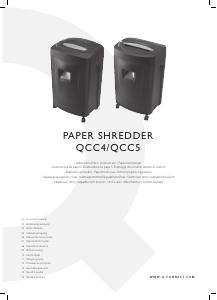
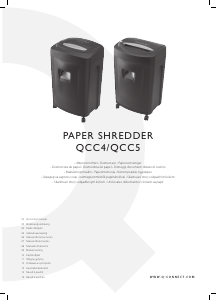
Shred type: cross cut 4 x 25mm (QCC4), cross cut 4 x 44mm (QCC5).
Shredding capacity: 15 sheets or 1 CD (QCC4), 20 sheets or 1 CD (QCC5)
Feed opening: 220mm.
Weight: 13,6 kg (QCC4), 15,1 kg (QCC5).
Size: 396 x 323 x 653mm (QCC4), 396 x 323 x 650mm (QCC5).



Csatlakozzon a termékről folytatott párbeszédhez
Itt megoszthatja véleményét a Q-CONNECT QCC5 Iratmegsemmisítő-ról. Ha kérdése van, először figyelmesen olvassa el a kézikönyvet. Kézikönyv igénylése kapcsolatfelvételi űrlapunk segítségével történhet.