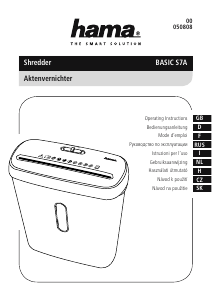
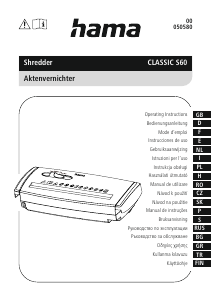
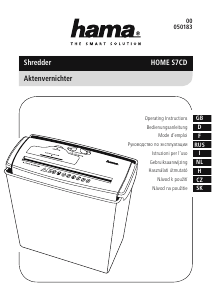
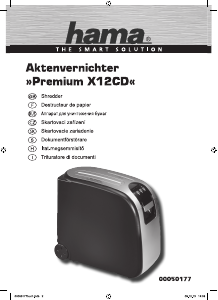
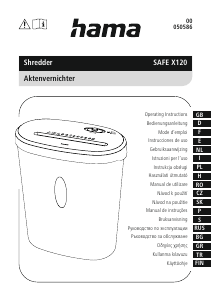
Használati útmutató Hama 00050540 Iratmegsemmisítő

Kézikönyvre van szüksége a Hama 00050540 Iratmegsemmisítő hez? Az alábbiakban ingyenesen megtekintheti és letöltheti a PDF kézikönyvet angol nyelven. Ez a termék jelenleg 2 gyakran ismételt kérdéseket, 0 megjegyzést tartalmaz, és 1 szavazattal rendelkezik, a termék átlagos értékelése 0/100. Ha nem ezt a kézikönyvet szeretné, kérjük, lépjen kapcsolatba velünk.

Hibás a terméke, és a kézikönyv nem kínál megoldást? Látogassa meg a Repair Café szolgáltatást ingyenes javítási szolgáltatásokért.

Használati útmutató

Loading…

3
General warning symbol
Before commissioning, read the enclosed operating
instructions.
You must comply with the safety instructions at all times.
This device is not intended for use by children.
Avoid touching the intake opening with hands, clothing
or hair.
Unplug the device if it is not going to be used for a
prolonged period.
Children must be supervised when using the device.
Do not insert paper clips into the intake shaft.
Do not reach into the intake shaft.
Keep clothing away from the intake shaft.
Keep jewellery, e.g. necklaces, away from the intake shaft.
Keep hair away from the intake shaft.
Do not use any aerosol products on or near the device.
Do not feed CDs/DVDs into the feed shaft.
Insert no more than 6 sheets of paper at any one time into the
intake shaft (see 7. Technical Data).
3. Installation / Setup
Warning
Only operate the product from a socket that has been approved for the device. The
socket must be installed close to the product and must be easily accessible.
Disconnect the product from the power supply using the On/Off switch if this is not
available, unplug the power cord from the socket.
If using a multi-socket power strip, make sure that the total power consumption of
all connected devices does not exceed the power strip's maximum throughput rating.
If you will not be using the product for a prolonged period, disconnect it from
mains power.
Position the device head (1) on a suitable waste paper basket. To do this, extend the
extendable arm (2) as far as necessary out of the device head (1).
Ensure that the device head (1) is positioned rmly on the waste paper basket and does
not wobble.
Note
Position the waste paper basket with the product on top of it on a level, horizontal
and suciently stable surface.
Route all cables so that there is no risk of tripping.
Do not bend or crush the cable.
Protect the connecting cable from hot surfaces and sharp edges.
Connect the mains cable to a properly installed and easily accessible mains socket.
4. Operation
Note
Be aware that the thickness of paper increases when it is folded, leading to the
device's maximum page capacity being exceeded.
Always wait until one cutting operation is nished before starting the next one.
Do not use the device continuously for more than 2 minutes at a time.
Empty the container regularly in order avoid damaging the device.
4.1 Switching the device on
Move the slider switch (5) to the "I" position (6).
The cutting rollers are switched on and operate constantly.
The device is now ready for use.
4.2 Switching the device off
Move the slider switch (5) to the "O" position (7).
4.3 Shredding paper
Insert the paper into the centre of the intake shaft (3).
Let go of the paper. Move the slider switch (5) to the "O" position (7) once the shredding
process is complete.
4.4 Forwards / backwards mode
Note
These modes are designed to release any blockages of the cutting mechanism.
Move the slider switch (5) to the "<<" position (8). The rollers on the cutting mechanism
now rotate in the reverse direction.
Move the slider switch (5) alternately to the "I" position (6) and the "<<" position (8).
Repeat this process around three times.
Then switch the device off - as described in 4.2 Switching the device off - and
disconnect the mains plug.
Remove the blocked cut material carefully from the intake shaft (3).
Reconnect the device - as described in 3. Installation/Setup - to the power supply.
Magyar nyelvű használati útmutató letöltése (PDF, 1.09 MB)
(Gondoljon a környezetre, és csak akkor nyomtassa ki a kézikönyvet, ha feltétlenül szükséges)

Loading…

Értékelés

Ossza meg velünk, mit gondol a Hama 00050540 Iratmegsemmisítő: értékelje a terméket. Szeretné megosztani a termékkel kapcsolatos tapasztalatát, vagy kérdése van? Írja megjegyzését az oldal alján lévő szövegdobozba.
Elégedett a Hama 00050540 Iratmegsemmisítő-szal?
Igen Nem
0%
100%
1 szavazás

Csatlakozzon a termékről folytatott párbeszédhez

Itt megoszthatja véleményét a Hama 00050540 Iratmegsemmisítő-ról. Ha kérdése van, először figyelmesen olvassa el a kézikönyvet. Kézikönyv igénylése kapcsolatfelvételi űrlapunk segítségével történhet.

További információ erről a kézikönyvről

Megértjük, hogy jó, ha van egy papíralapú kézikönyv a Hama 00050540 Iratmegsemmisítő-hoz. A kézikönyvet bármikor letöltheti weboldalunkról, és saját maga is kinyomtathatja. Ha szeretne egy eredeti kézikönyvet, javasoljuk, hogy lépjen kapcsolatba a következővel: Hama. Esetleg tudnak adni egy eredeti kézikönyvet. Más nyelvű kézikönyvet keres Hama 00050540 Iratmegsemmisítő készülékéhez? Válassza ki a kívánt nyelvet a honlapunkon, és keresse meg a modellszámot, hátha elérhető.

Műszaki adatok

Márka Hama
Modell 00050540
Kategória Iratmegsemmisítők
Fájltípus PDF
Fájl méret 1.09 MB

Hama Iratmegsemmisítők összes kézikönyve
Iratmegsemmisítők további kézikönyvei

Gyakran Ismételt Kérdések a következővel kapcsolatban: Hama 00050540 Iratmegsemmisítő

Ügyfélszolgálati csapatunk keresi a hasznos termékinformációkat, és válaszol a gyakran ismételt kérdésekre. Amennyiben pontatlanságot talál a gyakran ismételt kérdésekben, a kapcsolatfelvételi űrlapon jelezze nekünk a hibát.

Miért áll le a papíraprító egy bizonyos időszak után? Ellenőrzött

A papíraprítónak egy idő után le kell hűlnie, hogy megakadályozza a túlmelegedést. Az idő, ameddig a készülék működni tud, mielőtt lehűlne, különböző márkák és modellek szerint változik.

Hasznos volt (911) Olvass tovább

Milyen gyakran kell olajozni a papíraprítót? Ellenőrzött

Alkalmi használat esetén elegendő kéthavonta egyszer olajozni a papíraprítót. (Nagyon) rendszeres használat esetén észreveheti, hogy a gépnek nehézségei vannak az aprítással, vagy hogy a papír könnyen beragad. Ezek a gép olajozásának jelei.

Hasznos volt (568) Olvass tovább
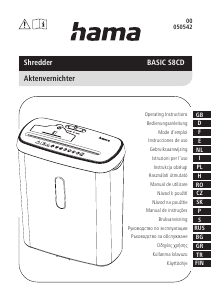
Használati útmutató Hama 00050540 Iratmegsemmisítő

Kapcsolódó termékek

Kapcsolódó kategóriák

×
Download