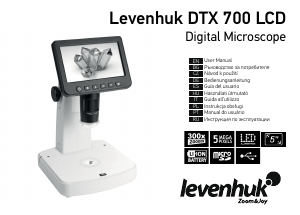
Használati útmutató Levenhuk DTX 300 LCD Mikroszkóp

Kézikönyvre van szüksége a Levenhuk DTX 300 LCD Mikroszkóp hez? Az alábbiakban ingyenesen megtekintheti és letöltheti a PDF kézikönyvet angol nyelven. Ez a termék jelenleg 0 gyakran ismételt kérdéseket, 0 megjegyzést tartalmaz, és 0 szavazattal rendelkezik. Ha nem ezt a kézikönyvet szeretné, kérjük, lépjen kapcsolatba velünk.

Hibás a terméke, és a kézikönyv nem kínál megoldást? Látogassa meg a Repair Café szolgáltatást ingyenes javítási szolgáltatásokért.

Használati útmutató

Loading…
3
Levenhuk DTX 300 LCD
Digital Microscope
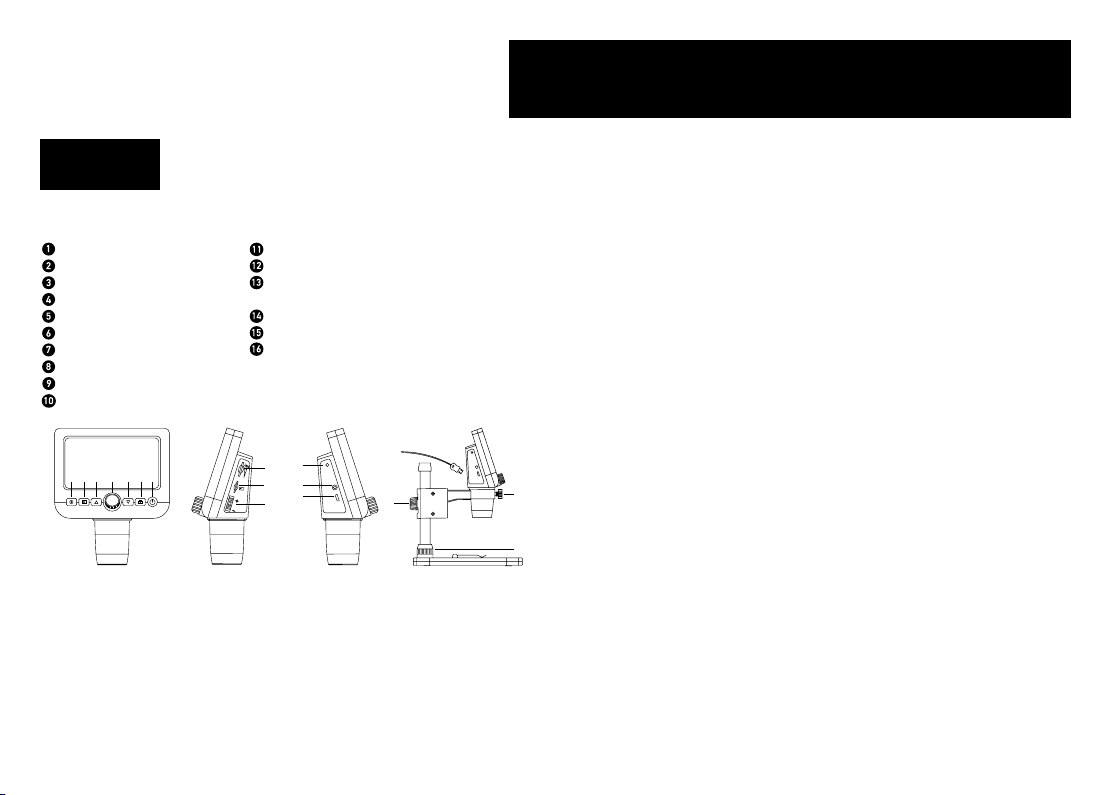
Microscope parts
Focusing wheel
Setup
Photo/Video/Playback
Up
Down
Capture
Power on/o
LED Dimmer
MicroSD slot
Digital zoom button
Charging indicator
TV out
DC: charge battery
USB: output to PC
Locking screw
Mount arm locking knob
Mount locking ring
The kit includes: microscope, microscope stand, USB cable, TV cable, 1GB microSD
memory card, soware CD, user manual and warranty slip.
Microscope assembly
Take the microscope and all of the accessories out of the package. Place the stage on a
stable surface. Attach the mount locking ring (16) to the metal tube of the mount. Insert
the metal tube into the opening on the stage and lock it in place with the ring (16). Insert
the microscope into the clamp on the mount arm and tighten the locking screw (14).
Tighten the locking knob (15) to lock the mount arm in place. To power the microscope
connect it to your PC with a USB cable.
PortableCapture soware
Insert the installation CD into your CD drive. Double-click PortableCapture to install
the application and follow the instructions on the screen. The installation CD contains
a copy of the user manual, which you can nd in the User Manual folder. Connect the
microscope to your PC with a USB cable and run the PortableCapture application. A pop-
up message will warn you if the microscope is not connected to the PC.
Using the microscope
Connection to TV/monitor with TV input
1) Connect the microscope to the TV/monitor by inserting the TV cable into the TV input
port. Turn on the power of your TV/monitor and select the TV setting.
2) If the microscope is not already on, turn on the power by pressing the Power on/o
button (7), and then you can start the preview on the screen.
Focusing adjustment
Place a specimen on the stage and rotate the focusing wheel (1) until the view is focused.
Digital zoom
Push the digital zoom button on the microscope body (10) to zoom in or zoom out.
Capturing an image or recording a video
1) Insert a microSD card into the microSD slot (9). Maximum card size is 32GB.
2) Turn the Focus wheel (1) to focus the image of your object to its best focus.
3) Press the Capture button (6) and the photo will be saved to the microSD card.
4) To switch to the video recording mode, press the Photo/Video/Playback button (3).
Then, press the Capture button (6) to start video recording. Press the Capture button
again to stop video recording.
Playback
1) Insert a microSD card into the slot (9).
2) Press the Photo/Video/Playback button (3) to switch to playback mode.
3) Press the Up (4) and Down buttons (5) to scroll to the previously captured photos and
videos.
EN
Never, under any circumstances, look directly at the Sun, another bright
source of light or at a laser through this device, as this may cause
PERMANENT RETINAL DAMAGE and may lead to BLINDNESS.
TV-out
DC/USB
15
8
9
10
12
13
2 53 64 7
1
16
14
11
Magyar nyelvű használati útmutató letöltése (PDF, 1.1 MB)
(Gondoljon a környezetre, és csak akkor nyomtassa ki a kézikönyvet, ha feltétlenül szükséges)

Loading…

Értékelés

Ossza meg velünk, mit gondol a Levenhuk DTX 300 LCD Mikroszkóp: értékelje a terméket. Szeretné megosztani a termékkel kapcsolatos tapasztalatát, vagy kérdése van? Írja megjegyzését az oldal alján lévő szövegdobozba.
Elégedett a Levenhuk DTX 300 LCD Mikroszkóp-szal?
Igen Nem
Értékelje elsőként a terméket
0 szavazás

Csatlakozzon a termékről folytatott párbeszédhez

Itt megoszthatja véleményét a Levenhuk DTX 300 LCD Mikroszkóp-ról. Ha kérdése van, először figyelmesen olvassa el a kézikönyvet. Kézikönyv igénylése kapcsolatfelvételi űrlapunk segítségével történhet.

További információ erről a kézikönyvről

Megértjük, hogy jó, ha van egy papíralapú kézikönyv a Levenhuk DTX 300 LCD Mikroszkóp-hoz. A kézikönyvet bármikor letöltheti weboldalunkról, és saját maga is kinyomtathatja. Ha szeretne egy eredeti kézikönyvet, javasoljuk, hogy lépjen kapcsolatba a következővel: Levenhuk. Esetleg tudnak adni egy eredeti kézikönyvet. Más nyelvű kézikönyvet keres Levenhuk DTX 300 LCD Mikroszkóp készülékéhez? Válassza ki a kívánt nyelvet a honlapunkon, és keresse meg a modellszámot, hátha elérhető.

Műszaki adatok

Márka Levenhuk
Modell DTX 300 LCD
Kategória Mikroszkópok
Fájltípus PDF
Fájl méret 1.1 MB

Levenhuk Mikroszkópok összes kézikönyve
Mikroszkópok további kézikönyvei
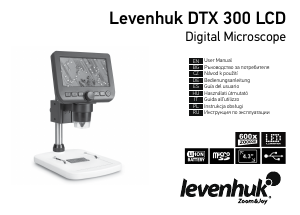
Használati útmutató Levenhuk DTX 300 LCD Mikroszkóp

Kapcsolódó termékek

Kapcsolódó kategóriák

×
Download