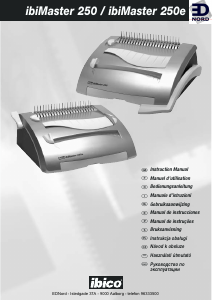
Használati útmutató Ibico ibiMaster 250 Kötészeti gép

Kézikönyvre van szüksége a Ibico ibiMaster 250 Kötészeti gép hez? Az alábbiakban ingyenesen megtekintheti és letöltheti a PDF kézikönyvet angol nyelven. Ez a termék jelenleg 0 gyakran ismételt kérdéseket, 0 megjegyzést tartalmaz, és 2 szavazattal rendelkezik, a termék átlagos értékelése 0/100. Ha nem ezt a kézikönyvet szeretné, kérjük, lépjen kapcsolatba velünk.

Hibás a terméke, és a kézikönyv nem kínál megoldást? Látogassa meg a Repair Café szolgáltatást ingyenes javítási szolgáltatásokért.

Használati útmutató

Loading…

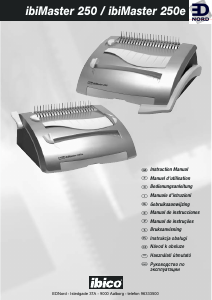
ibiMaster 250 / ibiMaster 250e
Determine plastic comb size
Slide the Binder Sizer open (c) (see figure 1a/1b).
Place document including covers behind Binder Sizer.
Release the Binder Sizer and select the comb binding
element that corresponds with the size shown by
guide. Only comb sizes up to 25 mm are shown.
Your ibiMaster can bind documents up to 425 sheets,
or 50 mm comb size. For best results, always use ibico
brand covers with ibico colour-coordinating binding
combs.
1 3
2
Punching paper (see figure 2)
Align sheets or covers and insert edge to be bound into
punch throat (D1) (see figure 2a/2b).
Jog the sheets until they are flush against the edge
guide and the bottom of the punch throat.
250 only: To punch, pull the Punch Handle (A) (fig.
1a) toward you. Pull all the way down to punch
completely through the paper. Punches up to 25 sheets
of 80gram paper at once. Punch only TWO clear
covers at a time to prevent jams and excessive wear.
250e only: To punch, press the punch button (A) (fig.
1b). The ibiMaster 250e punches up to 20 sheets of
80gsm at once. Punch only TWO clear covers at a time
to prevent jams and excessive wear.
250e only: If the punch jams, depress the reset
button (A1) (fig. 1b) then press the punch button (A)
(fig. 1b) again and remove the paper or covers from
the punch throat (it may be necessary to punch several
times in order to remove the paper). Repeat steps 1 to
3 with slightly less paper to avoid punch jams on
additional lifts.
Disengageable punching dies: If you require to punch
A5, a die can be disengaged from the punch by pulling
up the selector pin situated under the lid on top of the
machine (D) (see figure 1a/1b), when selector is down
the punching die is engaged, once again.
Margin Adjustment: The width of the margin between
the punched holes and the paper edge, can be
adjustered, depending on the thickness of the
document. Adjust the lever, situated on the left side of
the ibiMaster, by pulling it out or pushing it in,
according to the required margin thickness.
1
5
6
7
2
3
4
Binding
Place the Plastic Comb Binding Element behind the
Vertical Comb (E) with open portion of element facing
you (see figure 3).
Rotate the Bind lever up (E1) toward you until the
Comb Binding Element (E2) opens sufficiently to insert
your document (see figure 4).
Thread front cover finished side facing down (see
figure 5), onto open Binding Element Fingers (E3).
Thread pages, front facing down, onto element. Repeat
for large documents as required. Place the back cover,
finished side facing upwards on open Binding Element
Fingers last.
Push the Bind Lever away from you back to its original
position to close the Binding Element.
Remove book by lifting upward. Your presentation is
now complete!
Once you become familiar with your ibiMaster, you will
find that you can bind as you punch, increasing your
productivity.
1 4
5
6
2
3
EDNord - Istedgade 37A - 9000 Aalborg - telefon 96333500
Magyar nyelvű használati útmutató letöltése (PDF, 0.83 MB)
(Gondoljon a környezetre, és csak akkor nyomtassa ki a kézikönyvet, ha feltétlenül szükséges)

Loading…

Értékelés

Ossza meg velünk, mit gondol a Ibico ibiMaster 250 Kötészeti gép: értékelje a terméket. Szeretné megosztani a termékkel kapcsolatos tapasztalatát, vagy kérdése van? Írja megjegyzését az oldal alján lévő szövegdobozba.
Elégedett a Ibico ibiMaster 250 Kötészeti gép-szal?
Igen Nem
0%
100%
2 szavazás

Csatlakozzon a termékről folytatott párbeszédhez

Itt megoszthatja véleményét a Ibico ibiMaster 250 Kötészeti gép-ról. Ha kérdése van, először figyelmesen olvassa el a kézikönyvet. Kézikönyv igénylése kapcsolatfelvételi űrlapunk segítségével történhet.

További információ erről a kézikönyvről

Megértjük, hogy jó, ha van egy papíralapú kézikönyv a Ibico ibiMaster 250 Kötészeti gép-hoz. A kézikönyvet bármikor letöltheti weboldalunkról, és saját maga is kinyomtathatja. Ha szeretne egy eredeti kézikönyvet, javasoljuk, hogy lépjen kapcsolatba a következővel: Ibico. Esetleg tudnak adni egy eredeti kézikönyvet. Más nyelvű kézikönyvet keres Ibico ibiMaster 250 Kötészeti gép készülékéhez? Válassza ki a kívánt nyelvet a honlapunkon, és keresse meg a modellszámot, hátha elérhető.

Műszaki adatok

Márka Ibico
Modell ibiMaster 250
Kategória Kötészeti gépek
Fájltípus PDF
Fájl méret 0.83 MB

Ibico Kötészeti gépek összes kézikönyve
Kötészeti gépek további kézikönyvei
Használati útmutató Ibico ibiMaster 250 Kötészeti gép

Kapcsolódó termékek

Kapcsolódó kategóriák

×
Download